
One-click time tracking
Type what you're on, press Start. Clock Loom draws your day as a timeline so gaps and overlaps jump out.
- Live timer with focus mode
- Add or edit time by hand
- Day, week, month and all-time views
Clock Loom is a time tracking app and daily planner in one calm workspace: track time in one click, plan your day, run projects and keep your team in step — with every hour drawn on a timeline you'll actually read.

Time, meetings, projects, tasks and notes all know about each other — so the report writes itself.
Type what you're on, press Start. Clock Loom draws your day as a timeline so gaps and overlaps jump out.
Weekly repeats or one-offs, with join links, attendees and notes. Log a meeting's time in one click.
Codes, clients, leads, due dates, budgets and milestones — and how many hours you've really spent.
Assign, estimate, prioritise and drag across To do, In progress, Blocked and Done.
Notebooks, sections and pages with light Markdown, tags, pins, templates and search.
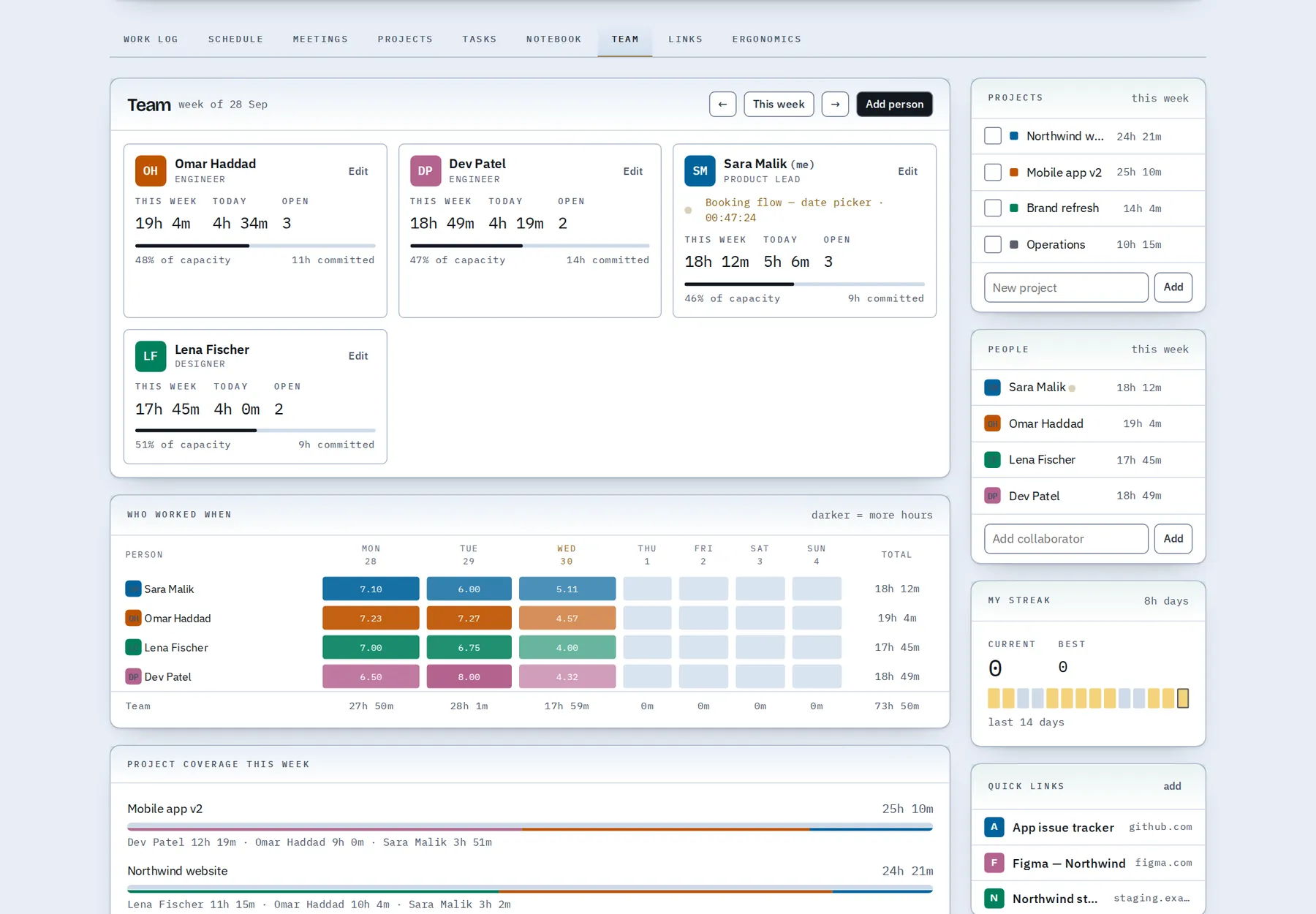
Capacity, hours per person, and a weekly heatmap of who is overloaded and who has room.
Block out your day on the Schedule, start a block with one click, and see planned against tracked time.
Gentle reminders for eyes, posture, movement and water — only while you're actually working.
Weekly reports and standup notes are drafted from your data, ready to copy or download.
Every screen favours the one question you came with: where did the time go, and what's next?
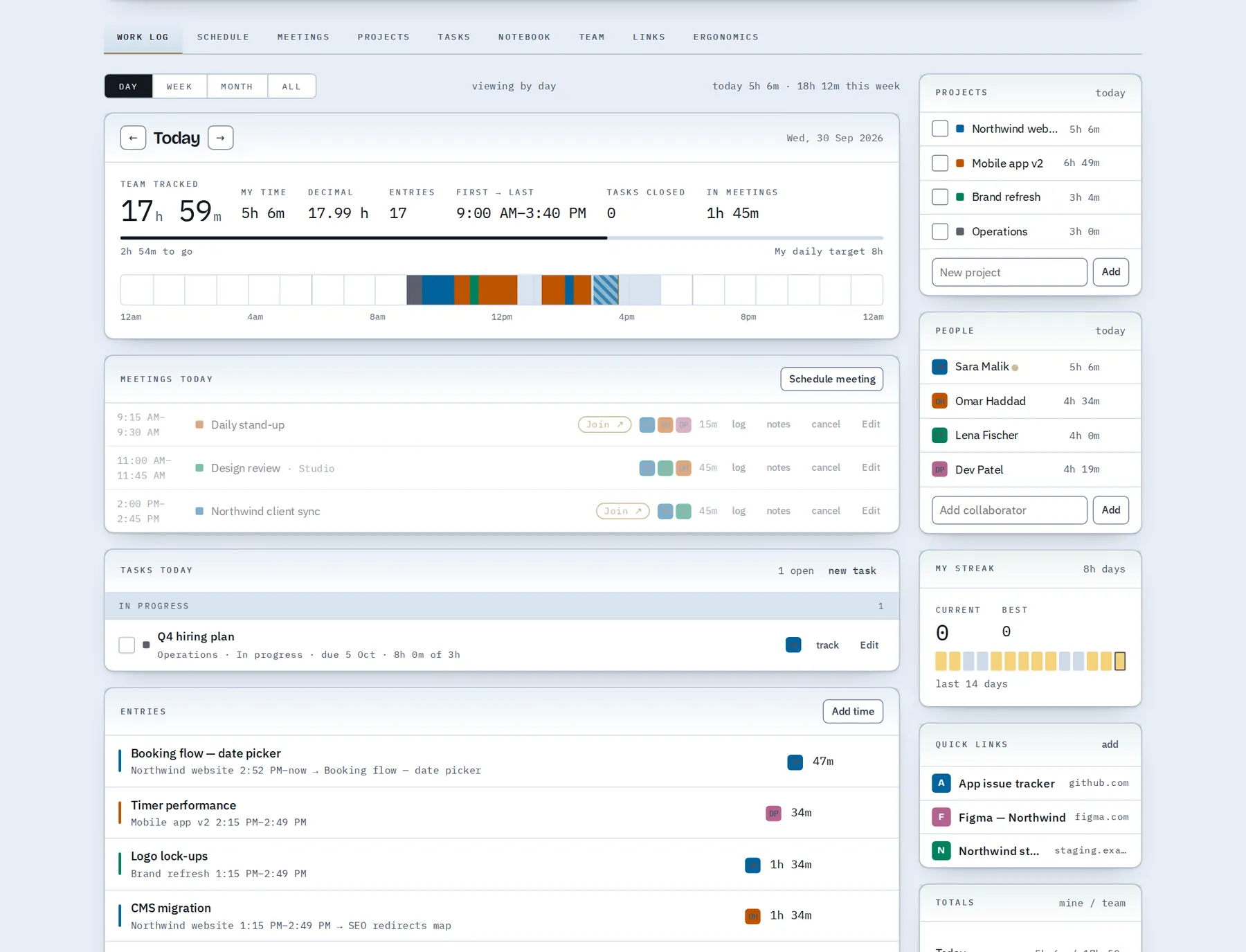
A 24-hour loom shows every entry and meeting in colour. Hit your daily target, keep a streak, and jot a private check-in before you log off.
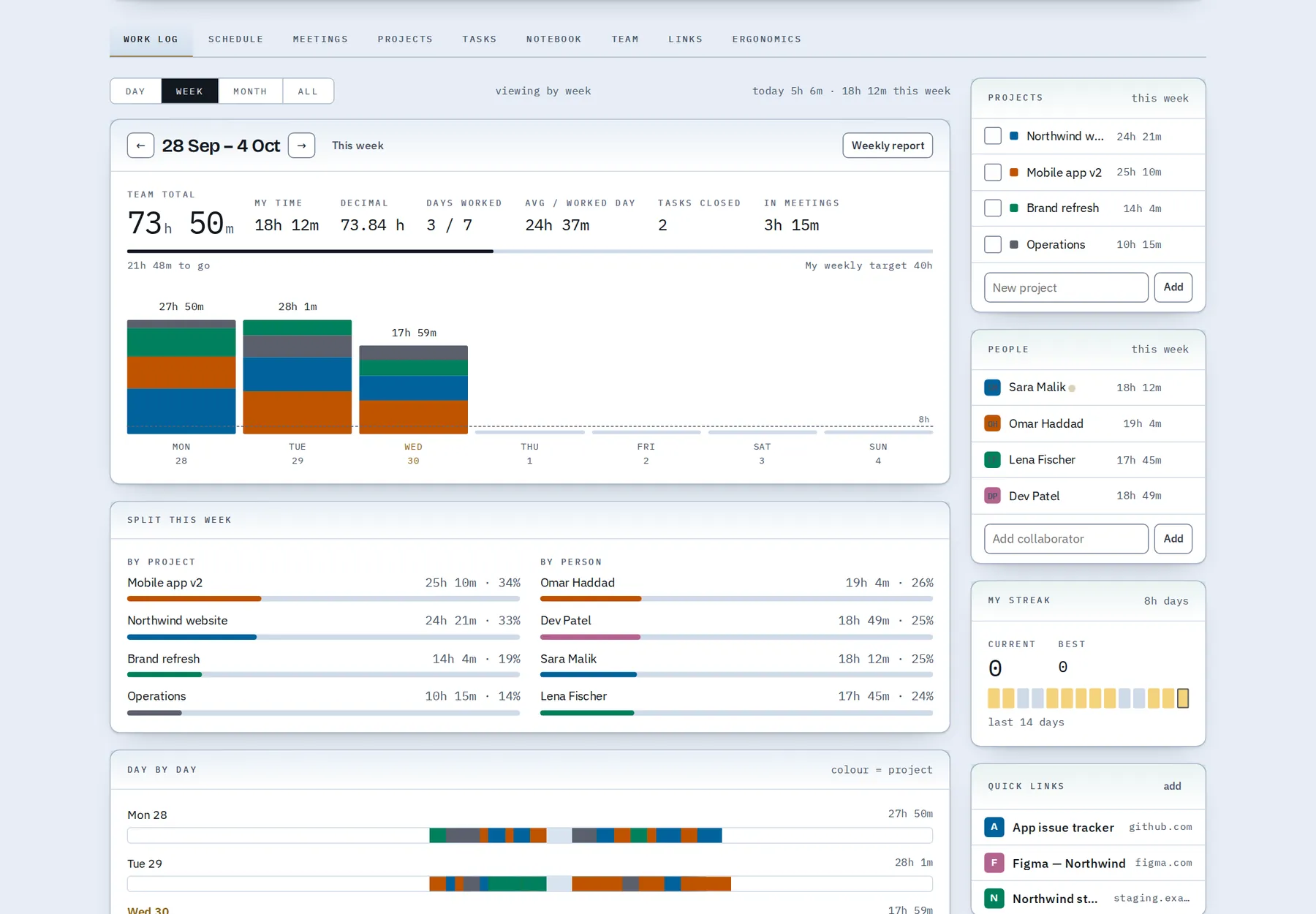
See who's over and who has room this week, assign tasks, and generate standup notes and weekly reports from what actually happened.
Just a name, email and password. Your dashboard is ready the moment you sign up.
Name a couple of projects, type what you're working on and start the timer. Add past time by hand if you like.
Check the timeline, close tasks, and send a weekly report or standup with one click.
Passwords are salted and hashed with PBKDF2. Sessions use secure, HTTP-only cookies.
Your board follows you between devices, with conflict protection if two are open at once.
Lost connection? Keep working. Changes are kept on the device and sync when you're back.
Full JSON backups and CSV exports. Delete your account and your data goes with it.
Clock Loom is a web app that combines a one-click time tracker, a day planner, a meetings calendar, projects, tasks and a notebook. Everything you track appears on a single timeline of your day, so you can see where your hours went, plan the next day against real capacity, and share a weekly report or standup in seconds. It runs in any modern browser, syncs across your devices and works offline.
There's a Free plan with no time limit: time tracking, your day and week log, tasks, meetings and the notebook. Every new account also starts with 30 days of Pro, with every feature open and no card needed. When the trial ends you choose: upgrade to Pro, or carry on with Free and keep all your data. See plans and pricing.
Planning and reporting: the Schedule, the Team view, month and all-time history, weekly reports and standup notes, CSV exports, project budgets and milestones, unlimited active projects and collaborators. The full list is on the pricing page.
In your account, in a Cloudflare D1 database, served over HTTPS. A copy is also kept in your browser so the dashboard keeps working if your connection drops — it syncs as soon as you're back online.
Yes. Sign in on your laptop, desktop or tablet and you'll see the same board. If you edit on two devices at once, Clock Loom tells you and lets you choose which version to keep.
Anytime. Download a full JSON backup from the dashboard or from your account page, on every plan. Pro adds CSV exports of entries, tasks and meetings. Deleting your account removes your data from our database.
No. Clock Loom runs in any modern browser. You can also add it to your home screen or dock as an app.
Yes — the live demo is a sample team with a month of data. Nothing you do there is saved to a server.
Yes. Upload files up to 25 MB to any project, or add links to documents that live in Google Drive, SharePoint or anywhere else. Uploaded files are saved to your account and can be downloaded on any device you sign in from.
Yes. Choose Continue with Google or Continue with Apple on the sign-up or log-in page and you're in, without creating a separate password. You can also connect them later from your account page.
Everyone gets their own account. Inside your board you can add collaborators, assign tasks and see capacity — handy for leads who plan for a small team.
Start with 30 days of Pro — every feature, no card. Then keep Pro, or stay on the Free plan with all your data.